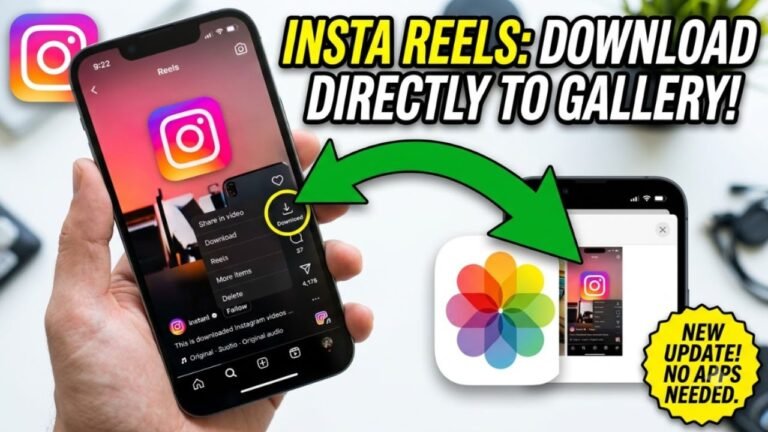
Want to download an Instagram Story? The safest approach is to use Instagram’s own features to save your Stories, your archived content, or content that the creator has given you permission to use.
Instagram Stories are designed to disappear after 24 hours, but Instagram provides features that let users preserve their own Stories and access them later. You can also save your own Story media to your device before or after posting.
Advertisements
How to Download Your Own Instagram Story
If you have posted a Story yourself, you can save it directly to your phone.
Step 1: Open Your Instagram Story
Open Instagram and tap your profile picture to view your current Story.
Step 2: Open the Story You Want to Save
Navigate to the photo or video that you want to keep.
Step 3: Use the Save or Download Option
Open the available Story options and choose the option to save the photo or video to your device.
The exact wording and location of the option can vary depending on your Instagram app version and device.
Your saved Story can then be accessed from your phone’s Photos or Gallery app.
How to Save an Expired Instagram Story
If your Story has already disappeared after 24 hours, check your Story Archive.
Instagram can archive your Stories so that you can access your previous Stories after they are no longer publicly visible.
Open your Instagram profile and go to the menu and Archive section. If the Story was archived, you can open it and use the available options to save it.
This is one of the safest ways to recover your own old Instagram Stories because you are accessing content from your own account.
Advertisements
Can You Download Someone Else’s Instagram Story?
If another person has posted a Story, you should respect their privacy and content rights.
Instagram does not provide a general download button that gives you permission to save and redistribute every Story posted by another account.
If you want a copy of someone else’s Story, the best option is to ask the person to send you the original photo or video or give you permission to use it.
This is especially important if you intend to repost the Story, publish it somewhere else or use it commercially.
Can You Screenshot an Instagram Story?
A screenshot can create a copy of an image displayed on your screen, but it does not give you ownership or permission to republish the content.
If the Story belongs to another person, obtain permission before reposting or using it outside Instagram.
For videos, your phone’s built-in screen-recording feature may capture what is displayed on your screen, but you should only use recordings where you have the appropriate permission.
What About Instagram Story Downloader Websites?
You may find websites claiming to download Instagram Stories by entering an Instagram username or copying a Story link.
Be cautious when using these services.
Avoid any website that asks for your Instagram password, login code or security information. You should never give your Instagram credentials to an unfamiliar downloader simply to save a Story.
Also avoid tools that claim they can bypass private-account restrictions or access Stories that are not available to you.
A legitimate download method should not require bypassing someone’s privacy settings.
Can You Download a Private Instagram Story?
You should not use a third-party service to bypass a private account’s privacy settings.
If you can legitimately view a private Story and need a copy, ask the account owner to send you the original content or give you permission to save and use it.
Privacy settings should not be treated as something that a downloader should circumvent.
How to Save Instagram Stories Without Losing Quality
For your own content, keeping the original photo or video on your phone before uploading it to Instagram is usually the simplest way to retain the original file.
You can also use Instagram’s own saving and archive features to preserve your Stories.
If you need content from another creator for a project, ask them for the original file instead of downloading a compressed copy from Instagram.
Can You Repost a Downloaded Instagram Story?
Downloading a Story and having permission to use it are two different things.
If another person created the photo, video, artwork or other material, they may have rights over that content. Getting permission before reposting is the safest approach.
If you are reposting someone’s content with their permission, consider giving appropriate credit as agreed with the creator.
Final Words
The safest way to download an Instagram Story is to use Instagram’s own saving and archive features for your own content.
For someone else’s Story, ask the creator for permission and, when possible, request the original file. Avoid websites or apps that require your Instagram password, bypass private accounts or claim to unlock restricted Stories.
This approach lets you save and use Instagram content while respecting privacy, creator rights and Instagram’s platform rules.