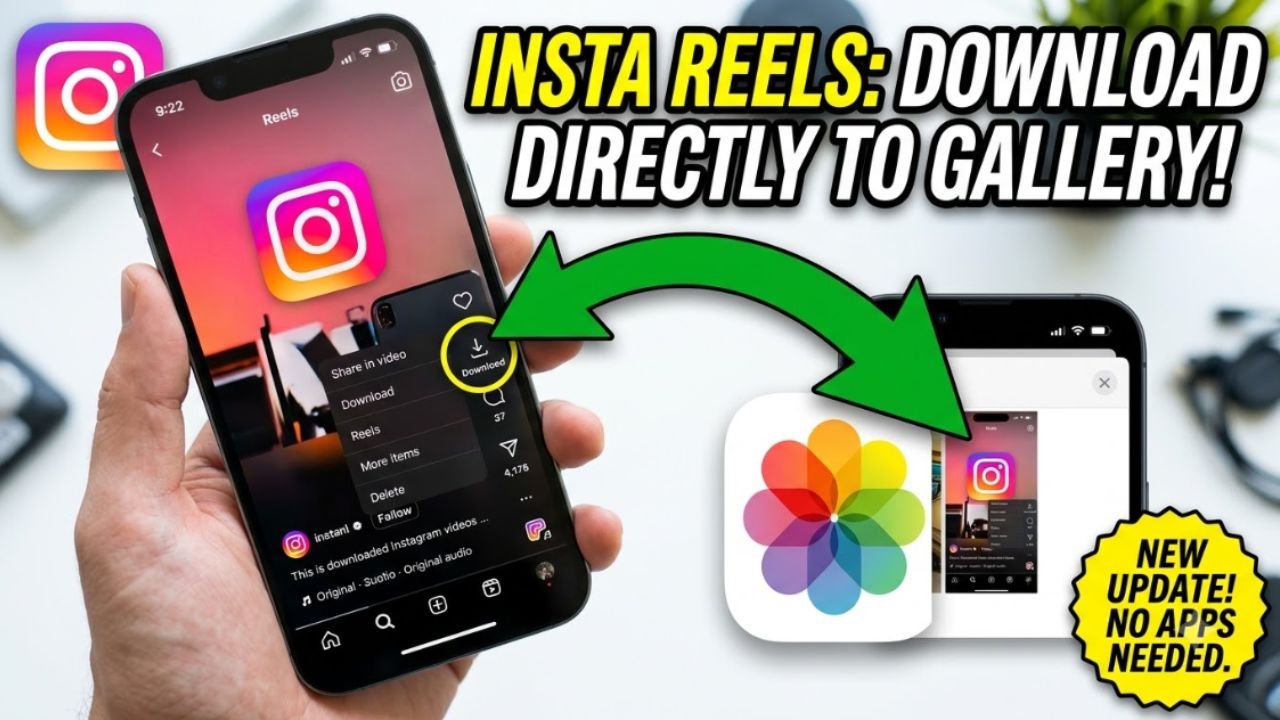
Want to download an Instagram video or Reel to your phone? Instagram has made this easier than it used to be. For eligible public Reels, you may now see a Download option directly inside the Instagram app, so you do not necessarily need a separate Instagram video downloader website or another app.
The important thing is that the Download option is not available for every Instagram video. Whether you can download a Reel depends on factors such as the account’s privacy settings and whether the creator has allowed downloads.
Here is how the current Instagram video download process works.
How to Download an Instagram Reel Directly
If the Reel has the download option enabled, you can save it directly to your phone’s gallery or camera roll.
Step 1: Open Instagram
Open the latest version of the Instagram app on your Android phone or iPhone and find the Reel you want to download.
Make sure you open the actual Reel rather than simply viewing it through someone’s profile or a search result.
Step 2: Tap the Share Button
While watching the Reel, tap the Share or paper-plane icon.
A sharing menu will appear with several options.
Step 3: Tap Download
If the Reel is available for download, you should see a Download option in the menu.
Tap Download and Instagram will save the Reel to your device.
The downloaded video may include the Instagram logo and the creator’s username, which helps identify the original source of the content.
Step 4: Check Your Gallery
After the download is complete, open your phone’s Gallery or Photos app.
The downloaded Reel should appear there like other videos saved on your device.
Why Is the Instagram Download Button Missing?
One of the most common questions is why the Download option does not appear on a particular Reel.
There are several possible reasons.
The Reel may be from a private account, or the creator may have disabled downloads. Instagram gives creators control over whether other people can download their Reels.
The feature can also behave differently depending on the type of content and the version of the Instagram app you are using.
So, if you cannot see Download, it does not necessarily mean there is something wrong with your phone.
Instagram Video Download vs Save
There is an important difference between Save and Download on Instagram.
When you tap Save, Instagram bookmarks the post or Reel inside your account. It does not normally create a video file in your phone’s gallery.
The Download option is different because it saves an actual video file to your device.
So if your goal is to watch the Reel later inside Instagram, use Save. If you want a copy in your phone’s gallery, look for Download.
Can You Download Every Instagram Video?
No.
Instagram’s native download feature does not mean every video on the platform can be downloaded.
For example, a Reel from a private account may not be downloadable, and a creator can turn off downloads for their content.
This is why two Reels can have different options when you open their Share menus.
If one Reel shows Download and another does not, the difference may simply be the creator’s download settings or the type of content.
How to Download an Instagram Video When There Is No Download Button
If Instagram does not show a Download option, first check whether you are using the latest version of the app and whether the Reel is publicly available.
For content that you are allowed to save and reuse, another option is to use your device’s built-in screen recording feature. This creates a recording of what is displayed on your screen rather than downloading the original Instagram file.
However, screen recording is not the same as obtaining the original video, and the resulting quality may be different.
For private or restricted content, you should not attempt to bypass the creator’s privacy or access controls.
Can You Download Instagram Reels Without a Watermark?
Instagram’s own download system can add the creator’s Instagram username and Instagram branding to downloaded Reels.
This is useful because the downloaded video can still be associated with the account that originally posted it.
If you see websites claiming that they can download any Instagram video without restrictions, be careful. Avoid entering your Instagram username or password into an unknown downloader website.
You should never need to give your Instagram password to a website simply to download a public Reel.
What About Instagram Videos With Music?
Audio availability can depend on the music and licensing associated with the Reel.
Instagram has previously noted that some downloaded Reels using licensed audio may be saved without that audio, while Reels using original audio can retain sound.
Therefore, if a downloaded Reel does not contain the same audio you heard inside Instagram, licensing restrictions may be the reason.
How to Download Instagram Reels on iPhone
The process is almost the same on an iPhone.
Open Instagram and find the Reel you want to save. Tap the Share icon and look for Download.
If the option is available, tap it and allow Instagram to save the video to your Photos library when prompted.
If there is no Download option, the Reel may not be available for direct downloading.
How to Download Instagram Reels on Android
Android users can also use Instagram’s built-in download feature.
Open the Reel, tap the Share icon and select Download when the option is displayed.
The downloaded video should then be available through your Gallery or Photos application.
If the option is missing, check whether the Reel is from a public account and whether the creator has enabled downloads.
Is It Safe to Use Instagram Video Downloader Websites?
If you decide to use a third-party website for content you are permitted to download, be cautious.
Many websites use aggressive advertisements, pop-ups and fake download buttons. Some may also ask users to log in with their Instagram credentials.
Never provide your Instagram password to an unfamiliar downloader website.
For a public Reel where Instagram itself provides a Download button, the built-in option is the simpler approach because you do not need to copy the link to another website.
Can You Repost a Downloaded Instagram Video?
Downloading a video does not automatically give you ownership of that video.
A Reel may belong to the person or business that created it, and it may also contain copyrighted music, footage or other material.
If you want to repost or use a downloaded Reel commercially, make sure you have the necessary permission or rights.
For personal viewing, downloading an available Reel is different from claiming someone else’s content as your own.
Final Words
Downloading an Instagram video is now easier because Instagram provides a built-in Download option for eligible public Reels.
The quickest method is simple: Open Reel → Share → Download → Check your Gallery or Photos app.
If the Download button is missing, the creator may have disabled downloads or the Reel may not be eligible. In that situation, do not assume that every third-party Instagram downloader will work. Always respect the creator’s privacy and copyright when saving or sharing Instagram content.