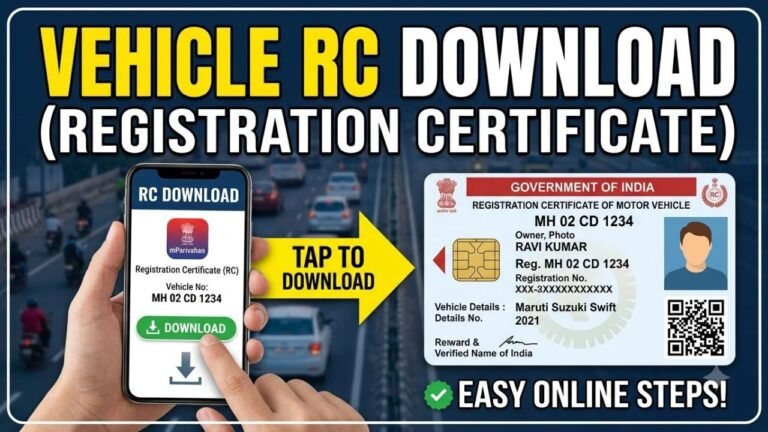
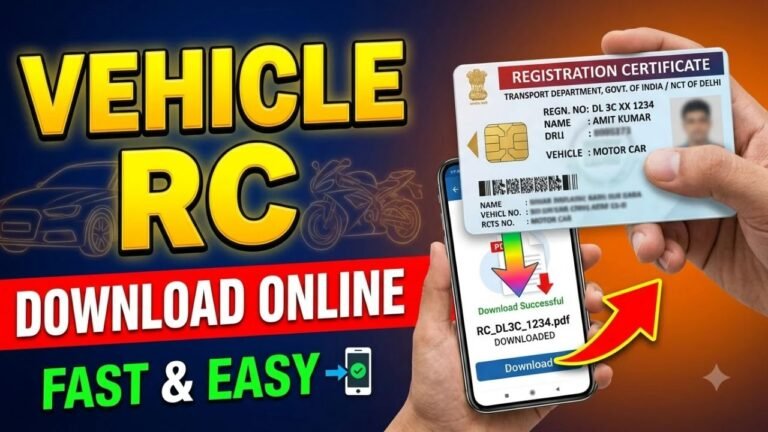
A Registration Certificate (RC) is an important document that confirms a vehicle is legally registered with the Regional Transport Office (RTO). It contains key information about the vehicle, such as its registration number, make and model, fuel type, registration date, and other registration-related details. If you are buying a used vehicle, checking RC details can also help you verify the vehicle information before completing the purchase.
The Ministry of Road Transport and Highways (MoRTH) provides online vehicle-related services through the VAHAN system. Using the official platform, vehicle owners and other authorized users can check available registration information without having to visit an RTO for basic enquiries.
Advertisements
What Are RC Details?
RC details refer to the information recorded against a vehicle’s registration number in the government vehicle database. Depending on the vehicle and service being used, available information may include:
Vehicle registration number
Registration date
Vehicle class
Manufacturer and model
Fuel type
Registration validity
Insurance-related information
Fitness and permit information, where applicable
Certain personal details may be masked or restricted for privacy and security reasons.
Why Check Vehicle RC Details?
Checking registration information can be useful in several situations. For example, if you are considering purchasing a second-hand car or motorcycle, you can compare the online vehicle information with the original RC and the physical vehicle.
An RC check can also help you confirm whether the registration information is correct, verify basic vehicle specifications, and review available registration or validity information.
Advertisements
What Do You Need to Check RC Details?
For a basic vehicle information search, you generally need the vehicle registration number printed on the number plate.
For example:
GJ01AB1234
You may also need your mobile number or login details for certain services that require authentication.
How to Check RC Details Online
Step 1: Visit the Official Parivahan Website
Open the official Parivahan portal operated by the Ministry of Road Transport and Highways.
Step 2: Open Vehicle-Related Services
Go to the vehicle-related services section and select the option for checking vehicle information or registration details.
Step 3: Enter the Vehicle Number
Enter the complete registration number of the vehicle carefully. Make sure the state code, RTO code, series, and registration number are entered correctly.
Step 4: Complete Verification
Depending on the service, you may be asked to enter a verification code or authenticate your mobile number.
Step 5: View Available Details
After successful verification, the system will display the vehicle information that is available to you through the service.
Can You Check RC Details Using a Vehicle Number?
Yes. The vehicle registration number is the primary information used to locate a vehicle record in the VAHAN database. However, the exact information displayed can depend on the service, vehicle record, and applicable privacy restrictions.
How to Verify a Used Vehicle Before Buying
If you’re purchasing a second-hand vehicle, don’t rely only on an online RC search. Compare the available online information with the original documents and the vehicle itself.
Check that:
Registration number matches the vehicle.
Make and model are correct.
Chassis number matches the RC.
Engine number matches the available records.
Insurance is valid.
The seller’s ownership documents are genuine.
Any applicable loan or hypothecation information is properly cleared.
If anything appears inconsistent, ask the seller for clarification before making the payment.
What If RC Details Are Not Showing?
Sometimes vehicle information may not appear because of incorrect registration details, incomplete records, a recently updated registration, or temporary technical problems.
If the information doesn’t appear:
Recheck the registration number.
Try again after some time.
Use the official Parivahan or mParivahan service.
Contact the relevant RTO if the problem continues.
Advertisements
Can You Check Vehicle Insurance and PUC Details?
Some vehicle-related information, including insurance and other compliance details, may also be available through government vehicle services. However, the information shown can vary depending on the vehicle record and the particular service.
For important transactions, always verify the original documents and, where appropriate, the insurer or relevant authority.
Benefits of Checking RC Details Online
Online vehicle verification can save time and make it easier to:
Check basic registration information.
Verify vehicle specifications.
Review available registration validity.
Research a used vehicle before purchase.
Avoid unnecessary visits to an RTO.
Identify possible discrepancies in vehicle documents.
Important Safety Tips
When checking or sharing vehicle information online:
Use official government portals whenever possible.
Avoid websites that ask for unnecessary personal information.
Do not share OTPs with anyone.
Verify the original RC before buying a used vehicle.
Don’t assume that an online record alone proves ownership or clears all legal or financial obligations.
Frequently Asked Questions
Can I check RC details online for free?
Basic vehicle information services may be available online through government platforms without a separate service charge. Any applicable fee will depend on the specific service you use.
Can I check RC details using only the vehicle number?
For basic vehicle information, the registration number is generally sufficient. Additional authentication may be required for certain services.
Can I download a digital RC?
Yes. A digital version of the Registration Certificate may be available through government-supported digital services such as DigiLocker or mParivahan, subject to the vehicle record and service availability.
Conclusion
Checking RC details online is a convenient way to verify basic information about a registered vehicle. With the VAHAN and Parivahan services, you can search available vehicle records using the registration number and review important details without visiting an RTO. If you’re buying a used vehicle, however, always compare the online information with the original RC, vehicle identification numbers, insurance documents, and other relevant records before completing the transaction.