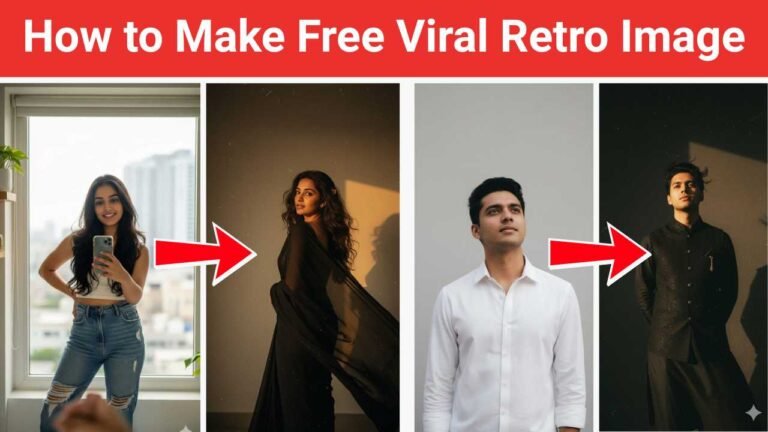
The 1980s photo trend has become a popular way to transform modern portraits into nostalgic-looking images inspired by the fashion, colors, cameras, and studio photography of the 1980s. With ChatGPT’s image generation capabilities, you can create this retro look without needing professional photo-editing software or advanced design skills.
The best results come from uploading a clear photo and describing the style you want. You can ask ChatGPT to recreate the overall appearance of an authentic 1980s photograph while keeping the person’s facial features recognizable.
What Is the 1980s Photo Trend?
The trend recreates the visual style of photographs from the 1980s. Instead of simply adding an old-looking filter, you can ask for details such as vintage clothing, retro hairstyles, soft studio lighting, film grain, slightly faded colors, and an authentic analog-camera appearance.
You can customize the image based on the specific 1980s aesthetic you prefer, from a classic family-portrait look to a glamorous studio photograph.
How to Create a 1980s Photo with ChatGPT
Step 1: Open ChatGPT
Open ChatGPT and start a new conversation. Make sure you have access to the image-generation feature.
Step 2: Upload Your Photo
Upload a clear portrait that you want to transform. A front-facing or slightly angled photograph with good lighting generally works well.
If you want the generated image to resemble you closely, use a photo where your face is clearly visible and not covered by sunglasses, masks, or heavy shadows.
Step 3: Enter a Detailed Prompt
Tell ChatGPT exactly what kind of 1980s image you want. For example, you can describe the clothing, hairstyle, background, lighting, camera style, and mood.
A useful prompt could be:
“Transform this photo into an authentic 1980s studio portrait. Keep my facial features and identity recognizable. Give the image an 1980s hairstyle and retro clothing, with soft studio lighting, subtle film grain, slightly faded colors, analog camera texture, and a nostalgic vintage photography aesthetic. Make it look like a real photograph taken in the 1980s rather than a modern photo with a filter.”
You can modify the prompt to match your preferred style.
Try Different 1980s Styles
One advantage of using ChatGPT is that you can experiment with different versions of the same photograph.
For a classic family portrait, ask for warm studio lighting, formal clothing, a simple backdrop, and an old-fashioned photography style.
For a 1980s fashion look, describe bold clothing, retro hairstyles, dramatic studio lighting, and vintage magazine photography.
For a casual street photograph, request denim, vintage sneakers, an urban background, and the appearance of an old 35mm film camera.
Step 4: Ask ChatGPT to Refine the Image
If the first result isn’t exactly what you wanted, you don’t need to start over. Ask for specific changes.
For example:
- “Make the colors more authentic to 1980s film photography.”
- “Keep my face closer to the original photo.”
- “Change the outfit to classic 1980s fashion.”
- “Make the background look like an old photography studio.”
- “Add subtle film grain but keep the face sharp.”
Specific instructions generally make it easier to achieve the look you’re after.
Tips for Better Results
Start with a high-quality photograph. A clear original image gives the image generator more information to work with.
Avoid making the prompt unnecessarily complicated. Describe the most important visual elements first, then refine individual details after seeing the result.
You can also specify the type of photograph you want, such as a 1980s school portrait, family photograph, Bollywood-inspired studio portrait, wedding photograph, or retro fashion shoot.
Is the 1980s Photo Trend Free?
Whether you can create the image for free depends on your ChatGPT plan and the image-generation availability on your account. Free access may have usage limits, while paid plans can offer different levels of access.
You don’t need separate photo-editing software if the image-generation feature available to you can perform the transformation directly.
Conclusion
Creating the 1980s photo trend with ChatGPT is a simple way to give a modern photograph an authentic retro appearance. Upload a clear image, describe the 1980s style you want, and then refine details such as clothing, hairstyle, lighting, background, and film texture.
The key is to focus on the overall photography style rather than simply asking for an “old photo.” With a detailed prompt and a few refinements, you can create a convincing 1980s-inspired portrait that looks nostalgic while still preserving the recognizable features of the original photograph.